

Let me start with a (slightly dramatic) truth: there’s no single “best” AI tool for all media. Honestly, every tool has trade-offs. But if you pick right, AI becomes your sidekick, not your headache.
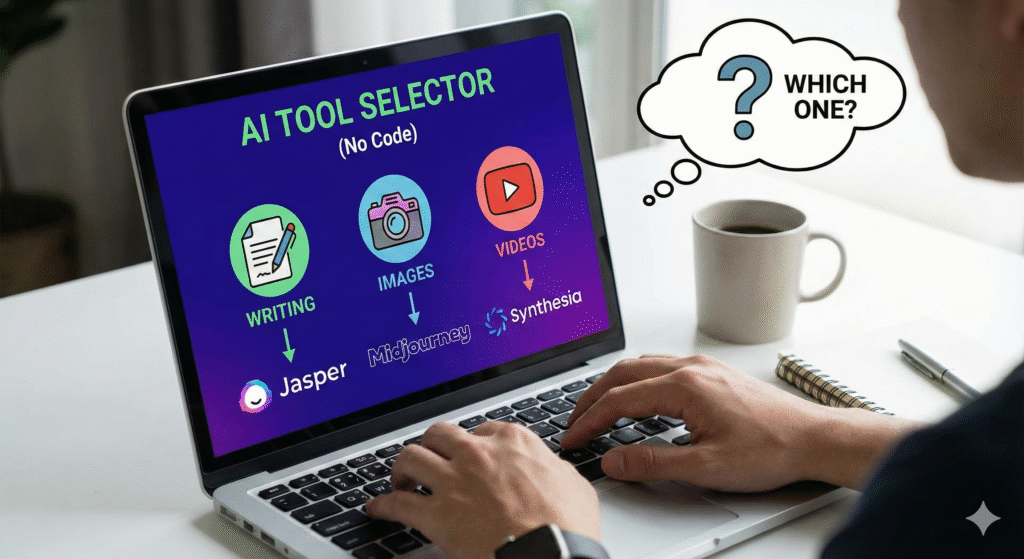
In 2025, there’s an explosion of no-code AI for writing, image creation, and video generation. But how do you choose among 50+ options? Which is best for your needs, budget, skill level, and output goals?
In this article, I’ll walk you through how to pick (the smart framework), compare the top tools by media type, and help you land on the one (or two) that fit you. Let’s get rolling and welcome to TechTikha !!.
Why “no-code” matters — and common pitfalls
Before diving into tools, I want to clarify why “no-code” matters (and what it doesn’t mean).
- Accessibility over technical overhead. You shouldn’t need to write Python or deploy models just to generate a blog draft, image, or short video. No-code abstracts that. As BuildFire describes, no-code AI gives non-programmers access to powerful models through visual interfaces or prompt wizards.
- Speed & iteration. You want to tweak, regenerate, and pivot quickly. No-code gives you faster feedback loops.
- Trade-offs. You’ll lose some flexibility. You can’t always fine-tune a model or adjust at the lowest level. Prompting, presets, and UI constraints become your levers.
Pitfalls to avoid:
- Overdependence. If you rely fully on AI, your content may become bland, repetitive, or off-brand. Use AI as an assistant, not an author.
- Ignoring rights & licenses. Some tools’ generated images/videos have usage restrictions or require attribution.
- Black-box surprises. The tool might suddenly change model, pricing, or terms — so test before final reliance.
- Too many tools. Juggling 10 different AI tools is worse than using no AI. Better to use fewer tools deeply.
The decision framework: how to choose an AI tool (for writing/images/video)
Here’s a 5-step decision framework I use (and recommend) — it helps cut through hype.
| Step | What you evaluate | Questions to ask | Why it matters |
|---|---|---|---|
| 1. Goal & use-case clarity | Are you creating blog posts? social posts? video intros? | What’s your media mix now and future? | Tools that excel at blog drafts may be weak for video |
| 2. Quality vs control | Do you prefer more control over output (style, voice, framing)? | Does the tool allow prompt engineering, fine adjustments, and editing? | Some “black box” tools give speed but less control |
| 3. Ease & UI | Do you want drag-and-drop, presets, or templates? | How steep is the learning curve? | If UI is bad, you’ll avoid using it |
| 4. Cost, scalability, quotas | What’s your budget? How many outputs/month? | Are there limits on characters, images, and video length? | Some “free tiers” lock you out too early |
| 5. Output legalities & license | Are you allowed commercial use? | Does the tool impose restrictions on redistribution? | You want to avoid surprise copyright claims |
Once you run through that framework, you’ll get a shortlist of 1–3 tools per media type (writing, images, video). Let’s go through strong contenders, pros & cons, and match them to types of users.
AI Tools for Writing (no-code, best picks)
When you want to generate blog posts, social captions, email drafts, long form — these are strong bets.
Top picks & what makes them good
- ChatGPT / GPT-4 / GPT-4o
Many creatives treat ChatGPT as their Swiss Army knife. It’s flexible, well-supported, and often the core of multi-modal workflows. (OpenAI is one of the core models recommended in high-level guides.) - Claude (Anthropic)
Known for being more cautious with content, good for advisory, assistance, or long essays. - Gemini (Google)
Good integration with Google tools, plus Gemini has begun supporting image/video modalities. - GravityWriter
Focused on content creation, offers SEO tools and multiple writing utilities. - Other niche tools like Jasper, Copy.ai, Writesonic, etc. I see many in rounds-ups and user discussions as tools people test.
When to pick which
- Want full flexibility + prompt power → ChatGPT, Claude
- Want content + SEO features built-in → GravityWrite or Jasper
- Want integration into your existing Google toolchain → Gemini
Writing workflow tip
- Always start with a clear prompt, with examples.
- Use AI to generate an outline first, then expand.
- Review & human-polish: add stories, voice, verifications.
- Ask AI for versions (short, long, punchy intro, etc.).